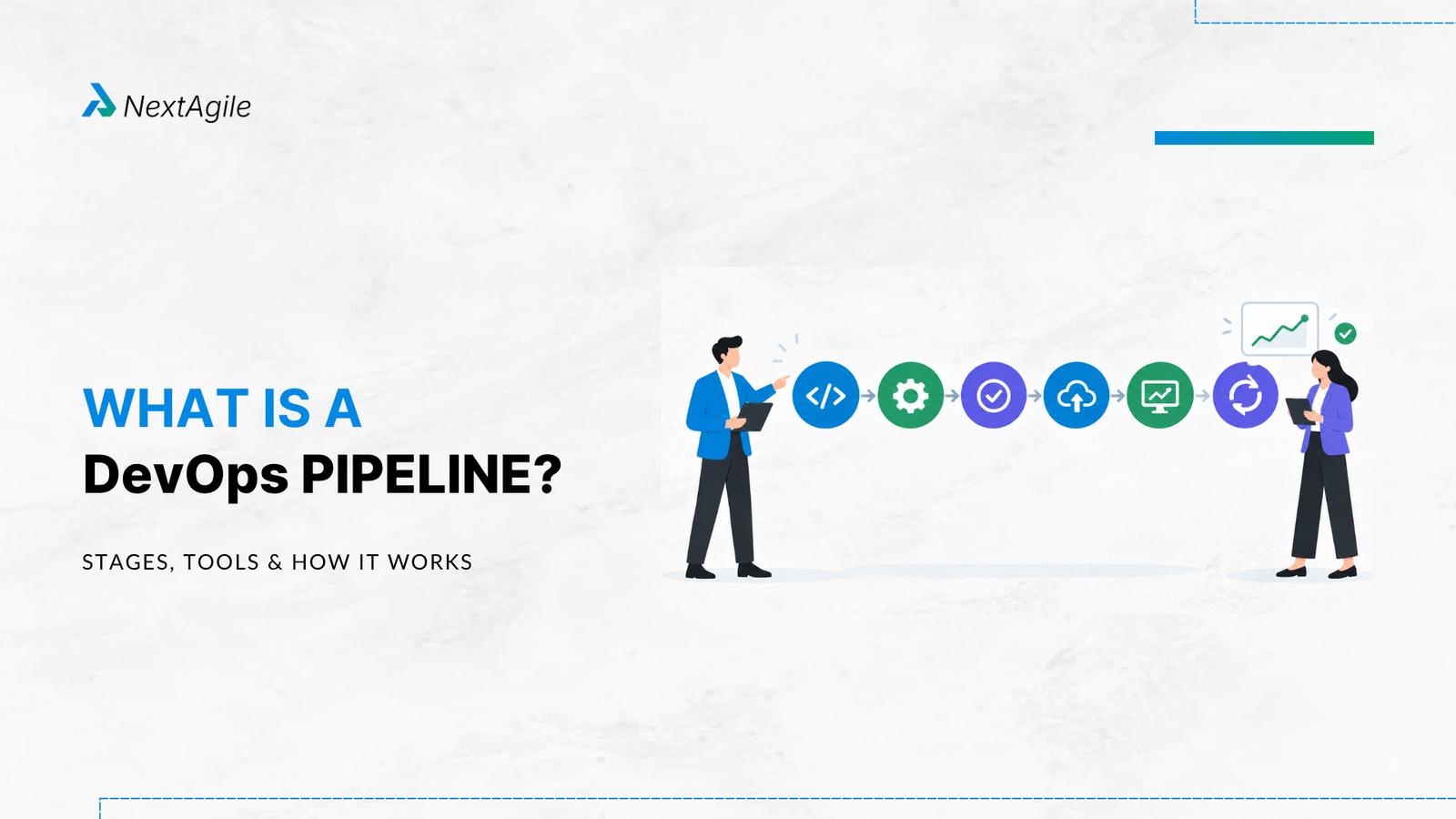
A DevOps pipeline is an automated delivery workflow that moves software from planning and code changes through build, testing, deployment, and production monitoring.
It connects development, testing, security, operations, and release activities into a repeatable flow. The objective is not simply to automate more tasks. It is to reduce delays, improve quality, increase deployment confidence, and shorten the time between a code change and business value.
A modern DevOps pipeline typically includes six stages:
Plan → Code → Build → Test → Deploy → Monitor and Operate
CI/CD is a major component of the pipeline, but a DevOps pipeline extends beyond CI/CD by connecting engineering work with security, infrastructure, operations, governance, and production feedback.
Key Highlights: What Is a DevOps Pipeline? A DevOps pipeline creates a repeatable path from code change to production value. The six core stages are Plan, Code, Build, Test, Deploy, and Monitor and Operate. Continuous Integration validates code changes frequently through automated builds and tests. Continuous Delivery keeps software ready for production, while Continuous Deployment automatically releases validated changes. DevOps pipeline tools should be selected according to delivery constraints, technology architecture, risk, and team needs. Release gates provide automated and risk-based controls before software reaches production. DORA metrics help organizations measure whether pipeline improvements are actually improving software delivery performance. A mature pipeline evolves from manual delivery toward automated, observable, and continuously optimized flow. Introduction A development team can write, review, and merge code quickly and still struggle to release software.
The problem often appears after the developer finishes coding. Builds wait in queues. Testing depends on manual execution. Environments differ. Security reviews happen late. Production approvals require multiple handoffs. When something fails, teams spend hours discovering where the failure occurred.
This is where the DevOps pipeline becomes important.
A DevOps pipeline is not simply a sequence of CI/CD tools. It is the engineered delivery system that connects planned work, code, quality controls, infrastructure, deployment, operations, and production feedback.
The important question for an organization is therefore not which pipeline tool should we install. It is where software delivery currently slows down, and how can the pipeline remove that constraint without increasing business or operational risk?
That shift in thinking is particularly important in 2026. Engineering teams are adopting cloud platforms, infrastructure as code, automated testing, GitOps, observability, and AI-assisted development at increasing speed. The delivery system needs to keep pace.
What Is a DevOps Pipeline? The Plain Language Definition A DevOps pipeline is the engineered path that moves a software change from developer intent to production value, with automation and controls reducing the delays, handoffs, and risks between the two.
The pipeline connects activities that were traditionally separated across development, QA, security, infrastructure, operations, and release management.
Instead of treating each activity as an isolated step, the pipeline creates a connected workflow.
For example:
Developer commits code → automated build starts → tests execute → security checks run → deployment package is created → staging environment is updated → release gates are evaluated → production deployment occurs → monitoring provides feedback.
The exact workflow varies by organization. A low-risk web application may use highly automated production deployment. A regulated banking application may require additional controls, approvals, segregation of duties, and audit evidence.
Teams Without a Pipeline vs. Teams With One Without an integrated pipeline, software delivery frequently depends on coordination between people and systems.
A developer may complete a feature, then wait for a build. QA may manually prepare an environment. Operations may perform a deployment script. Security may review the release near the end of the process.
Each handoff introduces waiting time and the possibility of error.
With a well-designed DevOps pipeline, these activities become increasingly repeatable and automated.
The team can see where a change is in the delivery flow, receive faster feedback, and identify failures earlier. This does not eliminate human decisions. It moves human attention toward decisions that actually require judgment.
How a DevOps Pipeline Relates to CI/CD CI/CD stands for Continuous Integration and Continuous Deployment.
Continuous Integration focuses on integrating code changes frequently and validating them through automated builds and tests.
Continuous Delivery extends this by keeping validated software in a deployable state.
Continuous Deployment takes automation further by automatically releasing validated changes into production when defined conditions are satisfied.
A DevOps pipeline can contain all three practices, but it is broader than CI/CD. It can also include infrastructure provisioning, security scanning, compliance controls, release governance, observability, incident feedback, and operational automation.
The 6 Core Stages of a DevOps Pipeline A typical DevOps pipeline has six core stages:
Plan → Code → Build → Test → Deploy → Monitor and Operate
These stages should not be viewed as isolated boxes. They form a feedback loop.
Plan and Code establish what should change and why. Build and Test create confidence that the change works. Deploy and Monitor put the change into real use and provide evidence for what should happen next.
Stage 1: Plan Planning defines the work that needs to be delivered.
This may include business requirements, product backlog items, user stories, acceptance criteria, technical tasks, security requirements, and operational considerations.
In an Agile environment, planning is closely connected to backlog management and sprint delivery. Strong Agile release planning also helps teams decide which increments are ready to move toward production and when.
The objective is to establish traceability between business intent and the eventual software change.
A useful pipeline should allow teams to answer questions such as:
What business requirement does this change address? Which user story or work item is connected to the change? What acceptance criteria must be satisfied? What risks or compliance requirements apply? How will success be measured after release? Stage 2: Code The Code stage is where developers create or modify application code, configuration, infrastructure definitions, and supporting assets.
Source control provides the foundation for this stage.
Git based workflows allow teams to track changes, review code, manage branches, and establish traceability between commits and delivery work.
The quality of the Code stage depends heavily on engineering practices such as peer review, branching strategy, coding standards, automated checks, and clear ownership.
The objective is to make every change traceable, reviewable, and ready for automated validation.
Stage 3: Build The Build stage converts source code into a deployable artifact.
Depending on the application, this could involve compiling code, resolving dependencies, creating packages, building container images, generating infrastructure artifacts, or producing deployment bundles.
Automation is particularly valuable here because it removes manual variation.
Every build should ideally use a consistent process and produce an identifiable artifact that can move through subsequent environments.
A pipeline that builds the same code differently across environments creates avoidable deployment risk.
Stage 4: Test Testing determines whether the change meets defined functional, technical, security, and quality expectations.
Modern DevOps pipelines commonly combine several forms of automated testing:
Unit testing Integration testing API testing Regression testing End-to-end testing Performance testing Security testing Static code analysis The objective is not to automate every possible test.
The objective is to move valuable feedback as close to the code change as possible while maintaining sufficient confidence before production deployment.
This is where an effective Agile test automation strategy becomes important. Testing should be designed around risk, feedback speed, and the consequences of failure.
Stage 5: Deploy Deployment moves the validated software into an environment where it can be used.
This may include development, testing, staging, pre-production, and production environments.
Modern deployment practices can include:
Automated deployment Infrastructure as Code Blue green deployment Canary deployment Rolling deployment Feature flags GitOps based deployment Deployment automation reduces dependency on individual knowledge and makes the release process more repeatable. For containerized applications, the choice of container orchestration approach also shapes how rolling, canary, and blue green deployments are executed.
However, automation does not automatically make deployment safe.
The deployment strategy must reflect application architecture, business criticality, recovery requirements, and regulatory controls.
Stage 6: Monitor and Operate The pipeline does not end when software reaches production.
Production behavior provides some of the most valuable information available to the delivery team.
Monitoring can track:
Application performance Infrastructure health Error rates Availability User behavior Security events Resource utilization Deployment impact Observability helps teams understand why something is happening rather than simply whether something has failed.
This feedback should flow back into planning and development.
That creates the continuous loop:
Plan → Code → Build → Test → Deploy → Monitor → Learn → Plan
A mature DevOps pipeline therefore behaves less like a conveyor belt and more like a feedback system.
How CI and CD Fit Into the DevOps Pipeline Continuous Integration Continuous Integration means developers integrate changes frequently into a shared codebase, where automated validation can detect problems early.
A typical CI workflow is:
Code commit → build → unit tests → static analysis → integration tests → artifact creation
The primary benefit is faster feedback.
Instead of discovering integration problems near the end of a release cycle, teams can identify them shortly after the change is introduced.
Continuous Delivery Continuous Delivery extends CI by automating the steps required to keep software ready for production.
A typical workflow might look like:
Commit → Build → Test → Security Scan → Package → Staging → Validation → Production Ready
The production deployment may still require a deliberate human decision.
This approach is useful when organizations need a balance between deployment automation and explicit release control.
Continuous Deployment Continuous Deployment automatically moves validated changes into production when pipeline conditions are satisfied.
A simplified workflow is:
Commit → Automated Validation → Release Gates → Production Deployment → Monitoring
This model requires strong automated testing, reliable infrastructure, observability, rollback mechanisms, and clear risk controls.
It is therefore not appropriate to measure pipeline maturity simply by asking whether production deployment is automated.
Continuous Delivery vs. Continuous Deployment The distinction is straightforward.
Continuous Delivery means software is continuously kept ready for production.
Continuous Deployment means validated software is automatically released to production.
The appropriate model depends on application risk, regulatory requirements, organizational controls, customer expectations, and technical maturity.
Choosing the Right Approach A regulated financial services platform may require explicit production approvals even when most pipeline activities are automated.
A low-risk digital product may safely automate much further.
Pipeline maturity should follow delivery risk and business need. The objective is controlled flow, not automation for its own sake.
DevOps Pipeline Tools in 2026 There is no universal DevOps pipeline tool.
Organizations typically select tools based on their existing cloud ecosystem, source control platform, application architecture, security requirements, infrastructure model, team capabilities, and governance needs.
Tool Common Use Strength GitHub Actions CI/CD automation Strong integration with GitHub repositories and developer workflows GitLab CI/CD End-to-end DevOps Integrated source control, CI/CD, security, and delivery capabilities Jenkins CI/CD automation Highly extensible and widely used across complex environments Azure Pipelines Enterprise CI/CD Strong fit for Microsoft and Azure oriented environments Argo CD GitOps deployment Kubernetes focused continuous delivery and declarative deployment, documented in the official Argo CD documentation
The important decision is not which tool is most popular. It is whether the selected tool reduces a real delivery constraint. GitOps tools such as Argo CD, for example, assume a working understanding of Kubernetes orchestration , so teams should confirm that foundation before adopting them.
What a DevOps Pipeline Delivers A pipeline should be evaluated through measurable delivery outcomes rather than the number of automated steps it contains.
Faster Feedback and Deployment Frequency Fast feedback allows developers to identify problems while the relevant code and context are still fresh.
Automated builds, tests, and validation can reduce the time between a code change and meaningful feedback.
When delivery constraints are removed systematically, organizations can also increase deployment frequency without necessarily increasing operational risk.
Quality and Change Failure Rate Automation can improve consistency, but quality depends on what the pipeline validates.
A pipeline that only checks whether code compiles provides limited confidence.
A stronger pipeline combines functional tests, security checks, integration validation, deployment controls, and production monitoring.
The goal is to make failures visible earlier and reduce the proportion of changes that cause production incidents or require remediation.
Faster Recovery From Failed Deployments A mature pipeline should assume that failures will occasionally happen.
The question is how quickly the organization can detect, contain, and recover from them.
Rollback automation, versioned artifacts, immutable infrastructure, progressive deployment strategies, feature flags, and observability can significantly improve recovery capability.
Developer and Team Experience Developer experience is often overlooked when pipeline design focuses only on infrastructure.
A good pipeline gives developers fast feedback, clear failure messages, predictable environments, and fewer manual release activities. Teams that also want to improve developer productivity with AI should make sure the pipeline can validate the extra volume of code that AI assistance tends to produce.
A poorly designed pipeline creates another source of friction.
Developers may spend time waiting for builds, investigating unreliable tests, requesting environments, or manually coordinating deployments.
The pipeline should make the safe path the easy path.
DORA Metrics and DevOps Pipeline Performance A DevOps pipeline should be measured through delivery outcomes. For a practical breakdown of how to track and improve them, see our guide to DORA metrics .
DORA research commonly examines four software delivery performance metrics, which DORA publishes as its four key metrics : deployment frequency, lead time for changes, change failure rate, and failed deployment recovery time.
These metrics help organizations understand whether delivery improvements are producing meaningful operational results.
For example, reducing build time from 20 minutes to 5 minutes sounds positive. But if production releases still wait three days for manual testing and approvals, the overall delivery system has barely improved.
This is why pipeline optimization should consider the complete value stream.
The useful question is: Where does work spend most of its time waiting? That question often reveals opportunities that a tool focused analysis misses.
What Is a Release Gate in a DevOps Pipeline? A release gate is a condition that must be satisfied before software can progress to the next stage of the delivery pipeline.
Release gates can be automated, human controlled, or risk-based.
Automated Quality Gate Examples include:
Required tests pass Code coverage meets a threshold No critical security vulnerabilities exist Static analysis passes Deployment health checks succeed Risk Gate A risk gate may evaluate factors such as:
Business criticality Size of the change Production impact Customer exposure Rollback complexity Compliance Gate Regulated organizations may require evidence that specific controls have been completed before production release.
This can include approval records, audit trails, segregation of duties, security validation, or required documentation.
Operational Gate Operational gates verify whether the production environment is ready.
Examples include capacity checks, monitoring availability, backup validation, incident readiness, or infrastructure health.
A mature pipeline does not remove governance. It embeds governance into the delivery flow wherever possible.
DevOps Pipeline Maturity Model Organizations often struggle because they try to jump directly from manual delivery to full automation.
A maturity model provides a more practical progression.
Level 1: Manual Delivery Builds, testing, deployment, and release coordination depend heavily on people. Visibility is limited and delivery times are difficult to predict.
Level 2: Automated CI Source control, builds, and foundational automated testing are connected. Teams begin receiving faster feedback on code changes.
Level 3: Continuous Delivery Testing, packaging, environment provisioning, and deployment preparation become increasingly automated. Software remains consistently ready for production.
Level 4: Controlled Production Delivery Production deployment becomes automated or highly streamlined, supported by release gates, observability, rollback mechanisms, and risk based controls.
Level 5: Optimized Delivery Flow The organization continuously analyzes delivery performance, identifies constraints, experiments with improvements, and uses production feedback to improve the entire system.
At this stage, pipeline improvement becomes part of the operating model rather than a one-time technology project.
How to Build Your First DevOps Pipeline A first pipeline does not need to automate everything. Start with the highest value path and expand from there.
Step 1: Choose a Source Control Platform Establish a single source of truth for application code and configuration. Define repository structure, branching practices, pull request controls, ownership, and access permissions.
Step 2: Automate the Build Create a repeatable build process triggered by code changes. The pipeline should produce a versioned artifact that can be promoted through environments without rebuilding it differently at each stage.
Step 3: Add Automated Testing Start with tests that provide fast and valuable feedback. Unit tests are typically a strong foundation. Add integration, regression, security, performance, and end-to-end tests according to application risk.
Step 4: Add Staging Deployment Automate deployment into a staging or pre-production environment. The objective is to test the deployment process itself rather than only the application.
Step 5: Add Basic Observability Ensure the team can see application health, deployment status, errors, and important operational signals. Monitoring should be part of the pipeline design rather than something added after production problems occur.
Step 6: Add Security Scanning Integrate security validation into the development and delivery process. The NIST Secure Software Development Framework offers a widely referenced set of practices for building security into each stage of the lifecycle rather than reviewing it at the end.
Security becomes more effective when feedback arrives early.
How to Design a DevOps Pipeline Around the Real Bottleneck One of the most common pipeline mistakes is starting with technology.
An organization selects a CI/CD platform, creates several automated workflows, and assumes delivery performance will improve.
But automation only improves delivery when it removes a real constraint.
A pipeline that builds code in minutes but releases waiting days for testing, approvals, or environments has automated activity without improving flow.
Start by mapping the current delivery journey.
Measure where work waits, where defects are discovered, where approvals accumulate, where environments become unavailable, and where deployment failures occur.
This is where value stream mapping can help teams understand the difference between active work and waiting time.
Once the constraint is visible, automate or redesign that part of the flow first. Then measure the result and identify the next constraint. This creates a continuous improvement cycle:
Measure → Identify Constraint → Improve → Validate → Repeat
DevOps Pipelines in Agile and Scaled Delivery Agile teams deliver work in small increments.
A DevOps pipeline provides the technical delivery mechanism that allows those increments to move rapidly through validation and deployment.
Without an effective pipeline, Agile teams can become efficient at producing work that still waits in a release queue. This creates a disconnect between sprint velocity and actual customer delivery.
A mature Agile and DevOps operating model connects:
Product backlog → Development → Automated validation → Deployment → Production feedback → Product decisions
The pipeline therefore supports the broader Agile software development lifecycle by shortening feedback loops between delivery and learning.
At scale, the same principle applies across multiple teams and value streams. The objective is to create consistent delivery capabilities while allowing individual teams to work within appropriate architectural, security, and regulatory boundaries.
Enterprise Example: Why Automation Alone Does Not Fix Delivery Consider a financial services technology team that has already implemented automated builds and CI.
Developers receive build feedback within minutes. Yet production releases continue to take several days.
An analysis of the delivery flow identifies three constraints:
Regression testing still depends heavily on manual execution. Environment provisioning requires coordination with another team. Production deployment requires multiple sequential approvals with limited automation. The organization could respond by adding more CI automation. But that would not address the actual bottlenecks.
Instead, the team could automate high-value regression tests, introduce repeatable environment provisioning, establish risk-based release controls, and improve deployment observability.
The result is a broader improvement to the delivery system rather than another isolated automation project. This is the same principle behind effective software delivery management , where the aim is predictable, certain execution across the whole flow, not just faster individual steps.
This example illustrates a central DevOps principle:
The highest value pipeline improvement is usually the one that removes the most consequential constraint in the delivery flow.
Common DevOps Pipeline Mistakes Automating a Broken Process Automation can make an inefficient process execute faster without making it better. Before automating, understand why the current step exists and whether it should remain.
Measuring Pipeline Activity Instead of Outcomes Counting builds, automated jobs, or pipeline stages does not show whether customers receive value faster.
Measure lead time, deployment frequency, change failure rate, recovery time, quality, and developer experience.
Creating Excessively Long Pipelines Adding every possible test and control to every change can create unnecessary waiting.
Use risk-based testing and appropriate pipeline stages.
Treating Security as a Final Approval Late security reviews can create expensive rework.
Integrate security validation throughout the delivery lifecycle.
Ignoring Deployment and Environment Constraints A fast CI process cannot compensate for slow or unreliable environments.
Infrastructure and deployment capabilities need to evolve alongside application delivery.
Building Without Observability A deployment is incomplete if the team cannot determine whether the change is behaving correctly in production.
Observability should be designed into the delivery system.
Assuming Full Automation Is Always the Goal Automation should reflect business risk.
Highly regulated systems may require deliberate human controls. The objective is controlled, reliable flow rather than maximum automation.
10 Question DevOps Pipeline Diagnostic Use these questions to understand the current state of your delivery pipeline:
How long does a code change take to reach production? Where does software spend the most time waiting? How much of the build process is automated? How much of the testing is automated? Can the same artifact move across environments without rebuilding? How are security checks integrated into the pipeline? How much manual effort is required for production deployment? Can failed deployments be detected and rolled back quickly? Can teams see production impact immediately after deployment? Which pipeline constraint currently has the greatest business impact? The final question is particularly important. It shifts the discussion from tool selection to delivery system performance.
Conclusion A DevOps pipeline is more than a CI/CD workflow. It is the engineered delivery system connecting planned work, code, testing, security, deployment, operations, and production feedback.
The most important decision is not which DevOps tool to install. It is understanding where delivery is constrained and designing the pipeline to address that constraint.
A five minute build does little if releases wait three days for testing. Automated deployment does not solve inconsistent environments. AI-generated code does not improve delivery if validation and production feedback cannot keep pace.
High performing DevOps organizations continuously examine their delivery flow, improve the highest value constraint, measure the outcome, and then address the next constraint.
That is how a DevOps pipeline evolves from a collection of automated tasks into a business capability for reliable software delivery.
If your teams struggle with slow releases, manual handoffs, inconsistent deployments, or delivery bottlenecks, a well-designed DevOps pipeline can help. NextAgile’s Agile transformation consulting can help you assess your delivery flow and co-create a practical DevOps and Business Agility roadmap.
FAQs 1. What is the difference between a CI/CD pipeline and a DevOps pipeline? A CI/CD pipeline primarily automates software integration, testing, packaging, and deployment. A DevOps pipeline is broader and can connect development, security, infrastructure, operations, governance, deployment, and production feedback.
2. How long does it take to set up a DevOps pipeline? A basic CI pipeline can often be established relatively quickly when source control, build automation, and automated tests already exist. Enterprise pipelines take longer because they may require security controls, infrastructure automation, environment integration, governance, observability, and deployment strategies.
3. Which CI/CD tool should you choose for a DevOps pipeline in 2026? The appropriate tool depends on your source control platform, cloud ecosystem, architecture, security requirements, team capabilities, and existing technology landscape.
Common options include GitHub Actions, GitLab CI/CD, Jenkins, Azure Pipelines, and Argo CD for GitOps based delivery.
4. Do small teams need a full DevOps pipeline? Small teams can benefit from a lightweight pipeline.
They do not need every enterprise capability on day one. Source control, automated builds, essential tests, deployment automation, security checks, and basic monitoring can provide a strong foundation.
5. What is a release gate in a DevOps pipeline? A release gate is a condition that must be satisfied before software moves to the next delivery stage.
It can include automated tests, security checks, risk controls, compliance requirements, operational readiness checks, or explicit approval.
6. How does a DevOps pipeline connect to Agile sprint delivery? Agile defines incremental delivery of customer value, while the DevOps pipeline provides an automated mechanism for validating, deploying, and monitoring those increments.
When the two work together, teams can reduce the gap between completing a backlog item and getting usable software into production.
Anuj Ojha is Co-Founder & Consulting Head at NextAgile. Anuj has designed & led multiple turnkey transformation journeys across industries, domains & geographies and has 16+ years of experience as an agile practitioner. He has worked with CXOs, CTOs & Key Leaders to translate their business objectives on the ground, contextualizing org transformations and creating buy-in across level, leading a team of coaches/consultants to implement agility across 150+ teams & trained more than 12k team members. Anuj’s core area of interest is business agility & working with leaders & teams to achieve long term sustainable, Agile culture & mindset.
 Skip to content