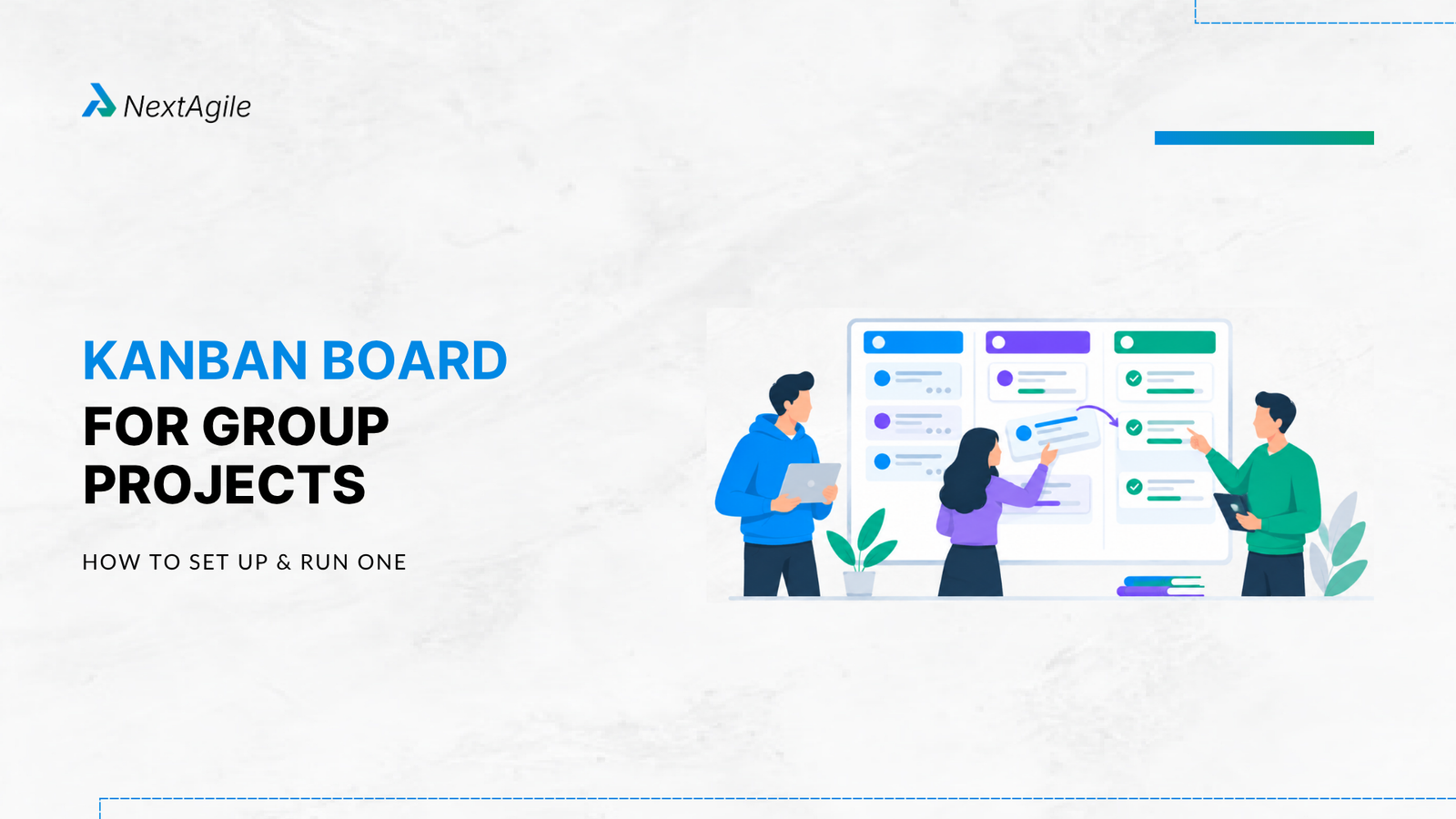
A Kanban board for a group project is a visual system that shows what work needs to be done, what is currently being worked on, what is waiting for review, what is blocked, and what has been completed.
For a student project, a simple board can use five columns: Backlog, To Do, In Progress, Review, and Done. Each task becomes a card with a clear owner and, where useful, a due date and definition of completion.
The team then uses a WIP limit to control how many tasks can be worked on at the same time. A weekly review helps the team identify blocked work, finish existing tasks before starting new ones, and adjust priorities as the project develops.
The important point is that the board should help the team make better decisions. It should not become another place where students copy tasks from a project plan without actually managing the work.
Key Highlights of Kanban Board for Your Group Projects A Kanban board works best when the entire team uses it as a shared view of the project rather than as individual to-do lists.
The most important practices are:
Break large project deliverables into smaller, actionable tasks. Use simple workflow columns that reflect how work actually moves. Give every active task a clear owner. Set a WIP limit so the team does not start more work than it can finish. Make blocked tasks visible instead of allowing them to disappear in private messages. Review the board every week and focus on finishing work before starting more. Define what done means for important tasks. Watch for bottlenecks where work repeatedly accumulates. Choose a tool that the whole team will consistently use. Improve the workflow when the board reveals recurring problems. The best student Kanban board is not necessarily the most detailed one. It is the board that gives the team a reliable picture of work and helps members decide what needs attention next.
Introduction The problem with most group projects is not dividing the work. It is knowing whether the work is actually moving.
It is easy for five students to leave a project meeting with five separate responsibilities. It is much harder to know whether those responsibilities are connected, whether one task is waiting for another, or whether someone has quietly become a bottleneck.
Imagine a six-week MBA project entering its fourth week. Twelve tasks are marked In Progress, two students are waiting for research data, the presentation has already been started, and nobody has reviewed the findings section.
Everyone is busy, but the project is not necessarily moving.
This is where a Kanban board becomes useful. It gives the team one shared view of the work and makes problems visible before they become deadline problems.
The board is not valuable because it contains colourful cards or because the team has chosen a popular project management tool. It is valuable because it changes the conversation from What is everyone doing? to What should we finish next?
That is the real purpose of Kanban in a group project.
What Is a Kanban Board for a Group Project? A Kanban board for a group project is a visual representation of the tasks required to complete the project and the stage each task is currently in.
A simple student workflow can look like this:
Backlog → To Do → In Progress → Review → Done
The Backlog contains work that may be required later. To Do contains work that is ready to be started. In Progress shows active work. Review contains work that needs another team member to check or approve. Done contains work that meets the team’s agreed completion criteria.
The workflow can be adjusted when the project requires it. For example, a team dealing with frequent dependencies can add a Blocked column.
The important principle is not the number of columns. The important principle is that each column represents a meaningful stage in the team’s actual workflow.
How a Kanban Board Makes Team Work Visible Without a shared board, project information can become scattered across WhatsApp messages, emails, Google Docs, personal notes, and conversations after class.
That creates a coordination problem. One student may believe that the research is complete while another student is still waiting for a source review before beginning the analysis.
A Kanban board brings those dependencies into view.
If several tasks are sitting in Review, the team can see that review may be the constraint. If one person’s name appears on most active cards, the workload imbalance becomes visible. If a task has remained In Progress for two weeks, the team has a reason to investigate.
This is what makes a Kanban board different from a simple task tracker. It shows not only what work exists but also how work is moving through the system.
Kanban Board vs. Simple To Do List A to do list mainly answers one question: What do I need to do?
A Kanban board answers several questions at once. What work exists? Where is it? Who owns it? What is waiting? What is blocked? What can be finished next?
A task list can therefore be useful for personal productivity, while a Kanban board is particularly useful when several people depend on one another.
The difference becomes important as the project gets more complicated. A list can tell you that five tasks remain. A board can show that four of those tasks are waiting for the same person to complete one earlier activity.
That visibility gives the team something actionable.
How to Set Up a Kanban Board for Your Group Project Setting up a student Kanban board should be simple. The team does not need to spend the first meeting designing a sophisticated workflow.
Start with the project’s final deliverables and work backward. Ask what must be completed before those deliverables can be submitted, presented, or assessed.
Then turn those activities into manageable pieces of work.
Step 1: Break the Project Into Manageable Tasks Suppose your project requires a market analysis, a written report, financial analysis, and a presentation.
Do not create four cards called Market Analysis, Report, Financial Analysis, and Presentation. Those cards are too large to tell the team what is actually happening.
Break them into smaller pieces.
Market research could become:
Identify research questions Find five relevant sources Conduct interviews Analyse responses Summarise market findings The report could become: Draft introduction Write methodology Draft findings Write recommendations Complete reference check A useful card should describe work that someone can meaningfully start and finish. When a card is too large, progress becomes difficult to see and blockers remain hidden.
Step 2: Create Workflow Columns Start with five columns:
Backlog To Do In Progress Review Done This is enough for most student projects.
Add Blocked if your project regularly contains dependencies that stop work from progressing. You might also add a Testing or Approval column when the project has a formal validation stage.
Avoid creating a separate column for every status imaginable. If the board has ten workflow stages but nobody understands the difference between them, the board has become harder to manage rather than easier.
Your columns should represent how work actually moves.
Step 3: Add Tasks as Cards Each card should contain enough information for another team member to understand the work without asking for a separate explanation.
A practical card can include:
Task: Analyse customer survey responses Owner: Priya Due date: Week 3 Dependency: Cleaned survey data Definition of Done: Three findings documented with supporting charts Not every task needs every field. The point is to remove ambiguity from important work.
If a card simply says Research competitors, the owner may interpret completion differently from everyone else.
A stronger card says Compare five competitors across pricing, positioning, target segment, and differentiators, with sources recorded.
The second version creates a much clearer completion condition.
Step 4: Assign Owners and Due Dates Every active card should have one clear owner.
This does not mean that the owner must do the work alone. Other members can contribute, review, research, or provide specialist input.
The owner is responsible for making sure that the task moves toward completion.
For example:
Task: Validate financial assumptions Owner: Arjun Support: Meera Due: Friday This is more useful than saying Arjun and Meera are handling finance.
For milestone driven projects, due dates can be valuable. For smaller tasks, the weekly planning rhythm may be sufficient.
Step 5: Set a Simple WIP Limit WIP means Work in Progress. A WIP limit restricts how many tasks can be active in a particular workflow stage at the same time.
For example, a team of five students might set an In Progress limit of four.
When four cards are already active, the team should generally finish or move one of them before pulling another task into the column. This creates an important change in behaviour. Instead of asking what else can we start, the team begins asking what can we finish? That shift is central to effective Kanban methods .
A Student Kanban Board You Can Copy Here is a simple structure that works for many university projects.
Backlog Research additional sources Prepare appendix Check formatting requirements To Do Complete competitor analysis Draft methodology Create presentation storyline In Progress, WIP limit 3 Analyse survey results Build financial model Draft findings section Review Research summary Done Project scope Research questions Interview guide The board can be recreated in Trello, Notion, Google Sheets, or another collaboration tool.
The software is secondary. What matters is that every team member sees the same work and understands what each column means.
A useful card template is:
Task Owner Due date Priority Dependency Definition of Done Blocker, if applicable This gives students a practical starting point without forcing them to adopt a complicated project management system.
How to Run a Student Kanban Board Week to Week Creating the board is easy. The real value appears when the team uses it to make decisions.
A weekly Kanban review should not become a long status meeting where every person reads their cards aloud. The board already contains most of that information.
Instead, use the meeting to discuss movement, constraints, and decisions.
Start by reviewing Done. Move completed cards into the Done column and confirm that they actually meet the team’s agreed completion criteria.
Then examine In Progress. Look for cards that have not moved, cards with unclear ownership, and work that has been active for too long.
Next, check Blocked and Review. Ask what is preventing these cards from moving forward.
Finally, look at To Do and decide which work should be pulled next.
A Practical Weekly Rhythm Monday can be used to confirm priorities and pull the most important available work.
During the week, team members update cards as work moves. A blocked task should be marked clearly rather than left in In-Progress.
At the end of the week, review what moved, what did not move, and where work accumulated. This weekly rhythm mirrors the purpose behind Agile ceremonies used in professional teams, where regular, structured check-ins keep work visible rather than relying on memory.
Then ask one improvement question: What slowed us down repeatedly this week?
The answer might reveal a dependency, unclear requirements, an overloaded reviewer, or tasks that are simply too large.
This makes the board more than a project tracker. It becomes a tool for improving how the team works.
Before and After: What Changes When a Team Uses Kanban? Consider a group of five students preparing a consulting case study.
Before using Kanban, each student maintains a separate list of responsibilities. The group communicates through messages and meets once a week.
By Week 4, several problems appear. Two people have started overlapping research. One student is waiting for data. The report writer is waiting for three sections. The presentation team has started designing slides before the recommendations are final.
Everyone appears busy.
After introducing a shared Kanban board, the team can see that several tasks are waiting on the same dependency. They reduce active work, make the blocked item visible, and ask two students to help resolve the dependency.
The board has not magically increased the team’s capability. It has made the constraint visible. That distinction matters. Kanban does not create additional time or people. It helps teams use their existing capacity more deliberately.
Worked Example: A 6-Week MBA Group Project Kanban Board Consider a six-week MBA project titled Evaluating the Market Entry Strategy of a Digital Payments Company.
The final submission requires a 4,000-word report, market research, competitor analysis, financial analysis, strategic recommendations, and a 20-slide presentation.
The team has five students.
Turning the Project Deliverables Into Cards Market research can be divided into research questions, source identification, interviews, response analysis, and findings.
Competitor analysis can include competitor identification, pricing research, positioning analysis, comparison, and conclusions.
Financial analysis can include assumptions, data collection, model creation, validation, and interpretation.
The report can include introduction, methodology, findings, recommendations, editing, and reference checks.
The presentation can include storyline, slide development, visual review, final editing, and rehearsal.
The benefit of this decomposition is that the team can see progress before the final deliverable is complete.
A large card called Complete Report can remain In Progress for weeks without providing useful information. Smaller cards show where progress is actually happening.
Example Weekly Board In Week 1, the board may contain project scope, research questions, interview design, and initial source identification.
By Week 3, research findings may be moving into Review while competitor analysis and financial modelling are In Progress.
By Week 5, the report draft, recommendations, and presentation may dominate the board.
The board should change as the project changes. That is an important point for students. A Kanban board is not a static project plan that gets created once and forgotten. It is a living representation of the current workflow.
How the Team Handles a Blocked Task Suppose the card Validate financial model remains In Progress for four days.
The owner discovers that the required market size data has not been validated.
Instead of leaving the card in In-Progress, the team marks it as Blocked and records the dependency.
The group can then decide whether to find another credible source, ask the faculty advisor, assign another student to the research, or use a documented assumption.
The specific decision depends on the project. The important part is that the problem becomes visible early enough for the team to respond.
What Is a WIP Limit and Why Does It Matter? A WIP limit is a restriction on how many work items can be active in a particular workflow stage.
For example, an In-Progress WIP limit of three means the team should not normally have more than three active cards in that column.
The purpose is not to make students work more slowly. It is to prevent the team from spreading its attention across too many unfinished tasks.
When everything is a priority, attention becomes fragmented.
When the team limits active work, finishing becomes easier to discuss and manage.
How to Choose a Simple WIP Limit There is no universal WIP limit for every student team.
A team of three students might begin with two or three active cards. A team of five or six students might begin with three to five.
These are starting points rather than rules.
Watch what happens over several weeks. If tasks consistently pile up in Review, the issue may not be an insufficient WIP limit. The team may have a review bottleneck.
If tasks remain In-Progress for too long, the cards may be too large, or the team may be starting too much work.
The board should help the team learn what its practical capacity looks like. For a deeper explanation, see our guide on how to calculate WIP limits in Kanban .
What to Do When the WIP Limit Is Reached When the WIP limit is full, do not automatically add another card.
First ask whether someone can help complete an existing task. Then check whether any task is blocked.
Look at Review and determine whether another team member can help move reviewed work into Done. Only after considering those options should the team decide whether an existing priority needs to change.
A WIP limit is most useful when it creates a conversation about capacity and priorities.
Bottlenecks: The Problem Your Kanban Board Should Help You Find One of the most useful things a Kanban board can reveal is a bottleneck.
A blocker usually prevents one task from progressing. A bottleneck affects the flow of multiple tasks through the system.
Imagine that your team has four cards in Review every Friday because only one person is comfortable editing the final report.
The problem is not that four students failed to complete their tasks. The problem is that review capacity has become a constraint. This is similar to what value stream mapping does for larger organizations, making the flow of work visible so constraints can be addressed directly.
The team could respond by distributing review skills, pairing students, simplifying the review process, or changing the workflow.
This is a more mature use of Kanban. The team is no longer asking which card should move next. It is asking why work keeps accumulating in the same place.
That is how a student project can become a practical lesson in flow management.
Definition of Done: Make Completion Clear One of the easiest ways for group projects to create conflict is to leave the meaning of done undefined.
A student might say a research task is finished because the sources have been collected. Another student may expect the sources to be analysed and summarised.
A Definition of Done removes that ambiguity.
For example:
Task: Competitor research
Done means five competitors have been identified, pricing and positioning have been documented, sources have been recorded, and the findings have been summarised in the project document.
This creates a shared quality expectation. It also reduces the chance that incomplete work gets passed downstream and creates additional work for another teammate.
Free Kanban Board Templates for Students Students do not need enterprise project management software to use Kanban. Trello, Notion, and Google Sheets can all support a basic student Kanban board.
Trello vs. Notion vs. Google Sheets Trello is useful when the project is primarily task-based and the team wants a simple visual board.
Notion is useful when the team needs to combine project documentation, research notes, databases, and task tracking.
Google Sheets works well when students already collaborate heavily in Google Workspace or when the project contains significant tabular data.
The choice should depend on how the team works.
A sophisticated tool will not solve a workflow problem if nobody updates it. A simple board that the whole team maintains is often more useful than a feature rich platform that becomes outdated after the first meeting.
For a broader view of digital options, see our guide to Agile project management tools .
Choosing the Right Tool for a Semester Project Choose Trello when visual task movement is the main requirement.
Choose Notion when research, documentation, and task management need to sit together.
Choose Google Sheets when accessibility, data, and familiarity matter more than a dedicated visual board. Choosing the right structure matters as much as the tool, and our guide to project management methodologies can help your team decide what fits a project like this.
If your university already provides collaboration software, start there before introducing another platform.
The objective is not to find the perfect tool. The objective is to create a reliable shared view of work.
Kanban Board vs. Scrum Board for Group Projects Kanban vs Scrum both provide ways to organize collaborative work, but they structure that work differently. Kanban emphasizes continuous flow, visualization, WIP limits, and incremental improvement.
Scrum organizes work around timeboxed Sprints, a Product Backlog, defined accountabilities, and structured events.
For a student project, Kanban may be useful when priorities change frequently or when the team wants a simple continuous workflow.
Scrum may be useful when the team wants a defined iteration structure with regular planning, review, and retrospective activities. The choice should reflect the project’s requirements.
A six-week assignment can work with either approach. The important question is how the team needs to organize and inspect its work.
For more detail on Scrum practices, see our guide to Scrum events .
Common Kanban Problems in Student Projects Every Task Is In Progress If nearly every card is active, the team has probably started too much work.
Set a WIP limit and make finishing existing tasks the priority.
Cards Are Too Large A card such as Complete the report can remain active for weeks.
Break it into smaller pieces so progress and blockers become visible.
Nobody Updates the Board An outdated board quickly loses credibility.
Make board updates part of the weekly team routine rather than treating them as optional administration.
The Board Becomes Individual To Do Lists If students only look at their own cards, the shared workflow disappears.
Use the board as a team conversation and look for dependencies, bottlenecks, and unfinished work.
WIP Limits Are Ignored A WIP limit has little value if the team simply exceeds it whenever another task appears.
When the limit is reached, use it as a trigger to investigate capacity and priorities.
Activity Is Mistaken for Progress Starting ten tasks can feel productive.
Finishing the right three tasks may move the project much further.
Kanban encourages the team to focus on flow and completion rather than the number of activities started.
The Board Becomes Too Complicated Students sometimes add too many columns, labels, rules, automations, and metrics.
Keep the system simple.
The board should make project management easier, not become another project that the team has to manage.
How to Know Whether Your Kanban Board Is Working A useful Kanban board should make several things easier to answer.
Can everyone see the current priorities? Does every active task have an owner? Can the team identify blocked work quickly? Does the team know what should move next? Are tasks spending too long in one workflow stage? Is work repeatedly accumulating in the same column? Can the team explain why a task is considered Done? If the answer to these questions is yes, the board is serving its purpose. The visual appearance of the board matters far less than the quality of decisions it supports.
A mature Kanban practice is not about moving cards quickly. It is about understanding how work moves and improving the conditions that allow it to flow.
Conclusion A Kanban board for a group project gives students a practical way to manage shared work without creating unnecessary project management overhead.
The basic system is simple: break work into cards, visualize the workflow, assign owners, limit WIP, make blockers visible, review the board regularly, and improve the flow.
The deeper value comes from what the team learns by using the board.
Students begin to see that a project can be delayed even when everyone is working hard. They learn that starting more tasks does not necessarily create more progress. They see how dependencies create waiting, how bottlenecks restrict flow, and why clear completion criteria matter.
That is why Kanban can be more than a student productivity technique.
It provides a practical introduction to the same principles used by professional teams to manage knowledge work, improve flow, and make delivery constraints visible.
For teams learning Agile methodology and project management, the board is the visible part of the system. The more important capability is learning how to use that visibility to make better decisions.
NextAgile helps organizations build these capabilities through Agile consulting , transformation programs, coaching, and practical enablement. If your team is looking beyond task tracking toward better flow, stronger delivery visibility, and sustainable ways of working, NextAgile can help you design an approach suited to your operating environment.
If your project team struggles with unclear ownership, too much work in progress, or missed deadlines, a structured Kanban approach can improve visibility and workflow. NextAgile can help you build practical Agile ways of working and agile dashboard that make collaboration and delivery more effective. Reach out to us at consult@nextagile.ai and we would be happy to explore how we can help.
Frequently Asked Questions 1. How many columns should a student Kanban board have? A student Kanban board can start with four or five columns. Backlog, To Do, In Progress, Review, and Done provide enough visibility for most group projects. Add additional columns only when they represent a meaningful stage in the actual workflow.
2. What is a WIP limit and why does it matter? A WIP limit controls how many tasks can be active in a particular workflow stage at one time. It helps prevent excessive multitasking and encourages the team to finish existing work before starting more.
3. Can a Kanban board work for a six-week university project? Yes. A six-week project can benefit from a Kanban board because the team has enough time for work to accumulate, dependencies to emerge, and priorities to change. Weekly reviews help the team respond before problems become deadline issues.
4. What should I do when a teammate does not update their card? Discuss the card during the team’s regular review. First determine whether the work is progressing, blocked, or no longer a priority. If the task is still required, clarify ownership and agree on the next action.
5. Is Kanban better than a Gantt chart for a group project? Kanban and Gantt charts solve different problems. A Gantt chart focuses on planned schedules, milestones, dates, and dependencies. Kanban focuses on workflow, active work, WIP, blockers, and flow. A project can use either or both depending on its planning needs.
6. Can students use Kanban without following the full Kanban method? Yes. Students can begin with basic practices such as visualizing work, limiting WIP, managing blockers, and improving flow. They do not need to implement every advanced Kanban practice before the board becomes useful.
7. What should a student put on a Kanban card? A useful card should normally include the task, owner, and due date where relevant. For important work, add dependencies, blockers, priority, and a clear Definition of Done. The card should contain enough information for the team to understand the work without creating unnecessary administration.
8. What happens when too many tasks are blocked? Do not simply create more tasks. Look for the common dependency causing the blockage. If several cards are waiting for the same person, approval, dataset, or decision, that may indicate a bottleneck that needs to be addressed at the workflow level.
9. Can a Kanban board replace a project plan? Not always. A Kanban board provides a strong operational view of current work, but some projects still need milestones, deadlines, dependencies, risk planning, or formal schedules. Kanban can complement those planning mechanisms rather than replace every project management practice.
10. How often should students update a Kanban board? Update the board whenever the status of meaningful work changes, particularly when a task starts, moves to review, becomes blocked, or is completed. At minimum, the team should review the board during its regular weekly project meeting.
Sujith G. is an agile practitioner with expertise in setting up the agile environment by coaching and training teams, individuals and stakeholders in the area of lean agile software principles. He has overall 12+ years of exp out of which 9+ years have been in Agile and Scrum implementation and adoption. Sujith has coached 70+ teams on agile practices & implementation techniques and has extensive experience in setting up metrics, JIRA & Azure DevOps. Experienced in identifying gaps in the system, creating scrum awareness, piloting and scaling scrum.
 Skip to content