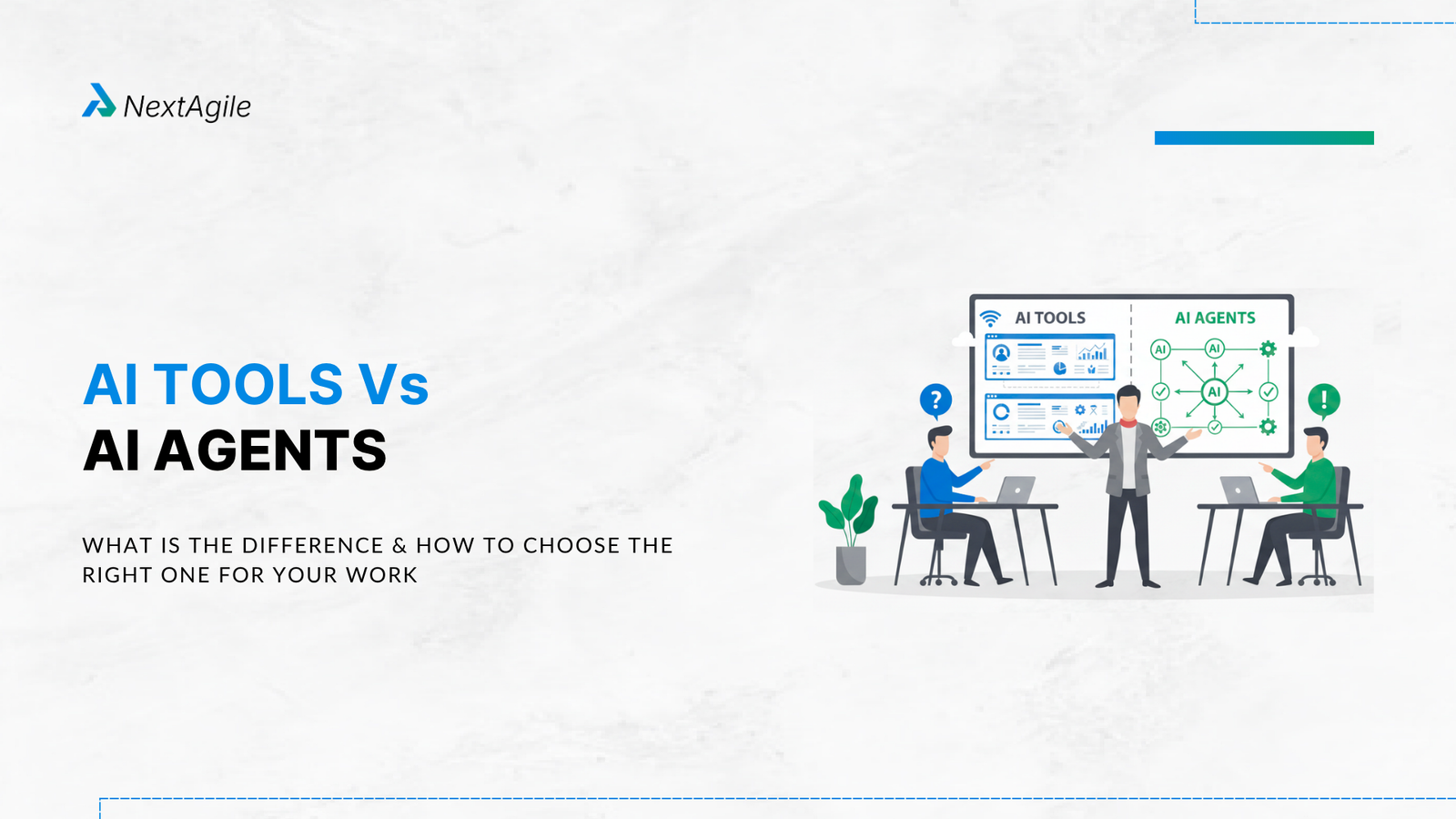
Key Highlights AI tools augment; AI agents act. This single sentence captures the structural difference. Tools make you faster. Agents do the work for you. The AI tools market is USD 17 billion in 2026 (Research and Markets), growing at 24.7% annually. The AI agent market will hit USD 52.6 billion by 2030, growing at 46.3% per year (Firecrawl, citing global market data), the fastest-growing segment in the AI stack. 88% of organisations now use AI in at least one business function (McKinsey State of AI 2025), yet most teams still use AI tools when they need AI agents, and vice versa. Four-level autonomy spectrum: Chatbot (conversation only), Copilot (suggests, human approves), Agent (executes within guardrails), Autonomous system (plans and acts independently). Most teams need Level 2 or Level 3. The right choice depends on two questions: Is the task subjective and judgment-heavy? Use an AI tool. Is it repetitive, multi-step, and time-consuming? Use an AI agent. Why This Confusion Keeps Tripping Teams Up Type “AI tools” into any search engine and you get hundreds of results: writing assistants, image generators, meeting summarisers, code completers, grammar checkers. Type “AI agents” and you get a different set: autonomous research assistants, sales outreach bots, code execution systems, multi-step workflow automators. The two lists look completely different. But both carry the word “AI” and both claim to save you time.
The confusion has a real cost. Imagine a content team spending two hours prompting an AI writing tool, editing its output, and reformatting everything work a well-configured writing agent could have handled in 12 minutes, start to finish. Or a DevOps team that deploys an AI agent for code review, only to find the workflow needs creative judgment the agent can’t reliably apply so they end up scrutinising the agent’s output even more carefully than they would have reviewed the code themselves.
According to McKinsey’s 2025 State of AI report, 88% of organisations now use AI in at least one business function. But adoption does not guarantee correct categorisation. Most teams are using both AI tools and AI agents without a clear framework for which to reach for and when. This guide gives you that framework.
What Is an AI Tool? An AI tool is software that uses artificial intelligence to do one specific thing well. You interact with it, it responds. You point it somewhere, it goes there. The smarts are baked in but the judgment, the direction, and the decision about what happens next? That’s always on you.
Think of it the way IBM describes AI assistants : like having a personal assistant. You tell the assistant what you need, they do it, and then they wait for your next instruction. The assistant is skilled and helpful. But they do not take initiative. They do not decide on their own to start a new task, monitor a situation, or escalate a problem. They respond to you.
Characteristics of an AI Tool Reactive: It waits for your input. Nothing happens until you initiate. Single-function: Each tool does one thing well. A grammar checker checks grammar. An image generator creates images. They do not coordinate with each other. Human-steered: You interpret the output, decide what to do with it, and choose the next action. Output-focused: The tool produces a result: a corrected document, a generated image, a meeting summary, a code suggestion. What happens to that output is your decision. Predictable scope: The tool cannot exceed its defined function. A grammar checker cannot also research your topic and structure your argument. Common AI Tool Examples in 2026 The AI productivity tools market includes Grammarly for writing assistance, Canva’s AI features for design, Jasper for content generation, Otter.ai for meeting transcription, GitHub Copilot for code suggestion (in its basic mode), and ChatGPT in standard conversation mode. Microsoft reported over 400 million paid Copilot users across its productivity suite as of early 2026, with 70% of Fortune 500 companies using it for decision support. Google Workspace’s Gemini AI tools reached 1 billion monthly active users in 2025.
What all of these have in common: they wait for you to use them. You open Grammarly and paste your text. You go to ChatGPT and type a message. You ask Canva’s AI for a background image. The intelligence is impressive. But the initiative is yours.
What Is an AI Agent? An AI agent is a system that can read its environment, reason through what needs to happen, take action using tools it has access to, and keep working toward a goal all across multiple steps, without you needing to drive every one. The word that matters here is autonomy.
Use the IBM analogy again: IBM’s definition of an agent versus an assistant compares it to the difference between a personal assistant and a talent agent. Your assistant does tasks when asked. Your agent actively works on your behalf, monitors opportunities, and takes action even when you have not specifically asked, because they understand the goal well enough to pursue it. They do not need a prompt for every step.
An AI agent does not replace AI tools. It uses them. An agent for content research might use a web search tool, a summarisation tool, a citation formatter, and a writing assistant, all coordinated by the agent’s goal-directed reasoning. The tools are the hands. The agent is the brain directing them. This is why the agentic AI architecture matters so much: the agent is only as powerful as the tools it can access and orchestrate.
Characteristics of an AI Agent Proactive: It can initiate actions based on a goal, a trigger, or a monitoring condition, without waiting for you to type a message. Multi-step: It reasons through a sequence of actions, not just a single response. It can plan ahead, adapt mid-task, and choose different tools for different steps. Goal-directed: You give it an objective. It figures out the steps. You do not need to specify every action. Tool-using: Agents use external tools (APIs, databases, web browsers, code executors, other AI tools) to gather information and take actions in the real world. Memory-enabled: Good agents maintain context across steps. They remember what happened in step 2 when they reach step 5. Adaptive: When a step fails or returns unexpected results, an agent adjusts its approach rather than stopping and waiting for human instruction. Common AI Agent Examples in 2026 Purpose-built AI agents include sales outreach agents that qualify leads, personalise messages, handle replies, and book meetings; support agents that read tickets, look up account history, draft responses, and follow up; coding agents like Google’s Jules that take backlog issues, write tested code, and create pull requests; and scheduling agents that monitor calendars, coordinate availability, and book meetings across time zones. For Agile teams specifically, the NextAgile blog on agentic AI tools evaluates 12 agentic platforms across development, business operations, and agile delivery categories.
The AI agent market reached USD 7.84 billion in 2025 and is on track to reach USD 52.62 billion by 2030 , growing at 46.3% annually. That growth reflects a genuine shift: teams that deployed AI tools in 2023 and 2024 are now upgrading to agents for the workflows where tool usage was showing diminishing returns.
The Core Difference: Output vs Outcome Want a clean way to hold the difference in your head? Think about two words: output and outcome .
AI tools deliver outputs. Ask a grammar checker to clean up your email it cleans it up and that’s that. What happens next is entirely up to you: sending it, writing the follow-up, booking the meeting.
AI agents pursue outcomes and own every step in between. You tell a sales agent “get me three qualified demo bookings from this lead list by Friday” and it takes it from there researching each lead, writing a personalised opener, sending it, watching for replies, following up, handling scheduling, and reporting back. Outcome achieved. Everything in between? The agent’s problem, not yours.
This maps to the four-level autonomy spectrum that Taskade’s 2026 taxonomy describes:
Level Category What It Does Human Role Examples 1 Chatbot Responds to messages. No external actions. Initiates every interaction; acts on every output Free-tier ChatGPT (pre-plugins), basic support widgets 2 Copilot Suggests actions the human approves or rejects Reviews suggestions; approves each before execution GitHub Copilot (code suggestions), Microsoft 365 Copilot 3 Agent Executes multi-step tasks autonomously within guardrails Sets the goal; reviews final output; handles escalations Jules (code agent), sales outreach agents, sprint planning agents 4 Autonomous System Plans, executes, evaluates, and adapts with minimal human input Sets objectives; monitors performance; intervenes when needed Self-optimising ad systems, autonomous trading agents
Most tools in 2026 sit at Level 1 or Level 2. Most purpose-built agents operate at Level 3. The distinction matters because the level determines what governance you need, what failures look like, and what the human role should be.
AI Tools vs AI Agents: Full Side-by-Side Comparison Dimension AI Tool AI Agent How it starts You initiate every interaction by typing or uploading Starts on a trigger: your goal, a scheduled time, or a real-world event Human involvement Required at every step to guide the next action Required at goal-setting and final review; optional in between Task scope Single function (write, edit, summarise, generate) Multi-step workflow spanning several functions Decision-making You make every decision; the tool executes one Agent reasons through decisions at each step Memory No memory between sessions; context resets each time Maintains memory across steps and often across sessions Tool use The tool is self-contained; no coordination needed Agents use external tools: browsers, APIs, databases, other AI models Failure handling Returns an error or wrong output; you notice and retry Detects failures, tries alternative approaches, or escalates to you Speed to output Fast for single tasks (seconds to minutes) Slower setup; faster execution at scale (hours to days of work done autonomously) Best for Creative work, judgment-heavy tasks, one-off requests Repetitive workflows, high-volume tasks, multi-step processes Risk level Low; you review before anything is sent or changed Higher; agent takes real actions with real consequences Governance needed Minimal; output review before use Audit trails, permission scoping, escalation rules, output monitoring Market size (2026) USD 17.01 billion (Research and Markets) USD 7.84 billion (2025), growing at 46.3% CAGR
AI Tools vs AI Agents: Real Examples Doing the Same JobThe clearest way to see the difference is to watch both handle the same task. Here are five common scenarios showing what each approach looks like in practice.
Scenario 1: Writing a Blog Post Using an AI Tool Using an AI Agent What you do Open ChatGPT or Jasper. Write a prompt. Review the output. Edit it. Ask for another section. Review again. Format manually. Give the agent the topic, target keyword, and audience. The agent researches top-ranking content, drafts the full post, adds internal links, formats it, and sends it for your review. Time saved 40-60% of writing time 80-90% of total production time You still need to Direct every section; make all editorial decisions Review the final draft; apply brand voice adjustments Risk None from the tool; all judgment stays with you Agent may miss brand nuance or make a factual error in the research
Scenario 2: Processing Customer Support Tickets Using an AI Tool Using an AI Agent What you do Paste each ticket into the tool. Ask it to draft a reply. Copy the reply. Paste into your support platform. Move to next ticket. Give the agent access to your support inbox and knowledge base. Agent reads tickets, classifies them, drafts replies, posts them, and flags complex ones for human review. Volume handled One ticket at a time Hundreds simultaneously You still need to Review and send each reply Monitor escalation queue; review flagged tickets Risk Delay if ticket volume spikes Agent may misclassify a complex issue and send wrong reply before you catch it
Scenario 3: Sprint Planning for an Agile Team Using an AI Tool Using an AI Agent What you do Ask the tool to estimate story points or suggest priorities. Review suggestions. Make decisions manually. Update Jira yourself. Agent analyses past sprint velocity, reads the backlog, checks team capacity, suggests an optimised sprint plan in Jira, and flags dependency risks. Time saved per sprint 1-2 hours of data gathering 4-6 hours of planning preparation You still need to Make all prioritisation decisions; update tracking tools Review the suggested plan; approve or adjust before confirming Risk Inconsistent data if you forget to check all sources Agent may not account for team context or informal priorities the Scrum Master holds
For a practical view of how Agile teams are using AI at both levels, the AI tools for Scrum Masters guide on the NextAgile blog covers 15 tools actively used in 2026 sprints, separated by function. For teams ready to move from tool usage to agent deployment, the AI for Agility Workshop provides hands-on practice connecting AI to JIRA, Confluence, and sprint delivery workflows.
Where the Line Is Blurring in 2026 The AI tools vs AI agents distinction is getting harder to draw clearly, because tools are adding agentic modes. This is important to understand so you do not mistake a tool with an agent mode for a purpose-built agent.
ChatGPT: Tool Adding Agent Capabilities Standard ChatGPT (GPT-5.2 as of 2026) is a tool: you type, it responds. But ChatGPT now has an Agent Mode that gives it a browser, a code executor, and the ability to run multi-step tasks. When you use ChatGPT in agent mode, you are using a tool that has been extended with agentic capabilities. It is more powerful than the base tool. It is still not the same as a purpose-built agent with persistent memory, structured tool access, and production governance. The DataCamp 2026 AI agents guide notes this clearly: AI agent platforms are built around decision-making and adaptation, not around conversation.
GitHub Copilot: Copilot vs Agent Mode GitHub Copilot in its standard mode is a Level 2 copilot: it suggests code completions that you accept or reject. GitHub Copilot Workspace (its agent mode) operates at Level 3: it takes a task from a GitHub issue, plans the code changes, writes them, runs tests, and creates a pull request. Same product, two very different capability levels. Knowing which mode you are using determines how you should structure your oversight and review process.
Microsoft Copilot: Tool in Most Contexts, Agent in Some Microsoft Copilot embeds into Word, Excel, Outlook, and Teams as a Level 2 tool: it drafts, suggests, and summarises on request. Microsoft Copilot Studio lets you build Level 3 agents that run autonomously across the Microsoft 365 ecosystem. When your team refers to ‘using Copilot’, clarifying which mode matters, because the governance, risk profile, and productivity impact are completely different.
The pattern across all of these: tools are adding agent modes to capture more value. But a tool with an agent mode requires the same governance thinking as a purpose-built agent when you use that mode. The NextAgile guide to agentic AI architecture covers the governance decisions you need to make before enabling agentic capabilities on tools your team already uses.
The Decision Framework: AI Tool or AI Agent? Before you commit to any AI implementation, run through these four questions. The answers will tell you exactly which category you’re looking for.
Question 1: Does the task require your judgment at every step? Yes: Use an AI tool. If each micro-decision in the process requires your creative, ethical, or strategic judgment, an agent that takes actions without your approval at each step will produce outputs you need to review so carefully that you lose the time benefit entirely.
No: An agent may be appropriate. If the steps follow a clear logic that can be described without your input, an agent can execute them reliably.
Question 2: Does the task repeat at volume? Yes: An agent is likely the right choice. When the same multi-step process runs tens or hundreds of times, agent automation delivers compounding returns that tool usage cannot match.
No: A tool is probably enough. One-off tasks rarely justify the setup cost of a purpose-built agent.
Question 3: What is the consequence of an error? Low consequence (reversible error): Agents are appropriate. A wrong draft can be edited. A misclassified ticket can be reassigned. The cost of occasional agent errors is acceptable.
High consequence (irreversible error): Keep a human in the loop. Agents that send emails, execute financial transactions, or deploy code should have approval checkpoints for high-stakes actions, even if they run autonomously for lower-stakes steps.
Question 4: Does the task cross multiple systems or data sources? Yes: An agent is likely more effective. Tasks that require pulling data from Jira, checking Confluence, querying your CRM, and writing a Slack summary require a coordination layer that a single AI tool cannot provide. This is the exact scenario where agent architecture earns its complexity cost.
No: A single AI tool handling a single-system task is simpler to deploy, maintain, and govern.
The One-Sentence Rule
• If you can describe the task with a single verb and a single output, use an AI tool. If the task requires a sequence of verbs and produces actions rather than just outputs, use an AI agent.
• Examples of tool tasks: ‘summarise this document’, ‘fix the grammar in this email’, ‘generate an image of a mountain sunset’.
• Examples of agent tasks: ‘monitor our support inbox, classify tickets by urgency, draft replies for Tier 1 issues, and flag Tier 2 for human review every morning’, ‘analyse last sprint’s velocity, update the backlog priorities, and post a readiness summary to Slack before Friday’s planning meeting’.
How Teams Are Using Both Together in 2026 The most effective approach in 2026 is not choosing between AI tools and AI agents. It is using each for the right category of work. Here is how different roles inside a team typically split the two.
Product Managers Using AI tools for: Writing user stories, refining acceptance criteria, generating competitive analysis summaries, drafting PRDs from voice notes. These tasks require the PM’s judgment at each creative and strategic decision point.
Using AI agents for: Monitoring sprint boards for blocked stories, aggregating user feedback from multiple channels, generating weekly stakeholder reports from project data. These tasks are repetitive, multi-source, and high-volume enough to benefit from agent automation. The AI Product Owner guide on the NextAgile blog covers the specific AI use cases reshaping the role in 2026.
Scrum Masters Using AI tools for: Facilitating retrospective brainstorming, generating ceremony agendas, drafting impediment logs, summarising sprint reviews. Ceremony facilitation requires human presence and reading of the room that tools support but cannot replace.
Using AI agents for: Automated daily standup collection and summarisation, velocity tracking and anomaly detection, dependency flagging across teams, PI Planning data preparation. The AI tools for Scrum Masters guide covers both categories with specific product recommendations for each.
Developers Using AI tools for: Code explanation, architecture review discussions, documentation drafting, pair programming for complex logic. These tasks require the developer’s deep context and judgment at each decision point.
Using AI agents for: Automated code review for style and common patterns, test case generation, dependency vulnerability scanning, changelog generation from commit history. The agile project management tools guide covers the integration layer connecting AI agents to the development toolchain.
Leadership and Strategy Teams Using AI tools for: Executive communication drafting, scenario modelling support, competitive intelligence synthesis. Strategic decisions require human judgment that AI tools can inform but cannot replace.
Using AI agents for: Automated OKR progress monitoring and reporting, risk dashboard updates from multiple data sources, customer sentiment aggregation across channels. Understanding how AI is reshaping the future of agility at the strategic level starts with getting the tool-vs-agent split right at the operational level.
Common Mistakes When Choosing Between AI Tools and AI Agents
Using an Agent for a Task That Needs Your Judgment The most common mistake teams make is deploying agents for creative, nuanced, or ethically sensitive work the kind where you actually want to be in the room for every call. A copywriting agent might nail the structure and grammar of your brand content, but consistently miss the voice, timing, and cultural texture that separates something effective from something forgettable. When you use an AI tool instead, your judgment stays in the loop at every step.
Using a Tool for a High-Volume Repetitive Workflow The second trap is reaching for a tool when you’re dealing with a workflow that runs hundreds of times. Manually prompting ChatGPT to summarise 200 customer reviews? That’s hours of your life. An agent that reads the reviews, sorts them into categories, and surfaces the top themes in a clean report? Minutes and it can run automatically after every new batch.
Assuming Tool + Agentic Mode = Production Agent When ChatGPT, Copilot, or Claude enables an agentic mode, teams often deploy it without the governance framework they would apply to a purpose-built agent. A tool in agent mode has real-world consequences: it can send emails, modify files, call APIs. Without approval checkpoints for high-stakes actions and without audit logging, tool-based agent modes carry the same risks as purpose-built agents but often with fewer built-in safeguards.
Not Defining What ‘Done’ Means for the Agent Tools are done when you stop using them. Agents need a clear completion condition: what does the finished state look like? When should the agent stop? What should it surface to you? Without a clear goal test, agents either loop indefinitely, stop too early, or surface results that do not answer the actual question. This is a design problem, not a model problem.
Skipping the Governance Conversation According to the Writer 2026 enterprise AI survey, 36% of teams lack a formal plan for supervising AI agents. That gap is expensive when an agent acts incorrectly at scale. Before deploying any agent, define: what can it do without approval? What requires a human sign-off? Who reviews the audit log? How do you shut it down if something goes wrong? The agentic AI architecture framework covers these governance decisions in structured detail for teams moving from individual tools to coordinated agent deployments.
Frequently Asked Questions 1. What is the main difference between AI tools and AI agents? AI tools are software applications that use artificial intelligence to help you complete a specific task, but require you to initiate and guide each step. AI agents are systems that can set goals, plan actions, use tools, adapt to results, and complete multi-step workflows with minimal human input per step. The core difference is who holds the initiative: with tools, you do; with agents, the system does.
2. Is ChatGPT an AI tool or an AI agent? ChatGPT in its standard conversational mode is an AI tool: it responds to your prompts and requires you to direct the conversation. ChatGPT in agent mode (where it can browse the web, run code, and execute multi-step tasks) operates more like a Level 3 agent. The same platform can function as either depending on which mode you use and how you configure it.
3. Can AI tools and AI agents work together? Yes, and this is the standard architecture for advanced AI systems in 2026. An AI agent uses AI tools as its actuators: it might call a web search tool to gather data, a summarisation tool to process it, a writing tool to format the output, and a Slack API to deliver the result. The agent provides goal-direction and coordination. The tools provide specialised capability. Neither alone is as effective as both together.
4. Are AI agents more expensive than AI tools? Generally yes, both in setup cost and ongoing cost. AI tools are usually subscription-based and usable immediately. AI agents require design (what is the goal? what tools does it need?), configuration (how does it access your systems?), testing (does it produce reliable results?), and governance (who monitors it?). Purpose-built agent platforms also carry higher usage costs because they execute more model calls per task. That said, the ROI of agents is also higher for high-volume workflows: the cost per unit of work done drops significantly compared to tool-assisted manual execution. The AI for Agility Workshop helps teams identify which workflows in their delivery cycle justify the agent setup cost.
5. What tools do AI agents use? AI agents use whatever external capabilities they are given access to. Common tool categories include web search (to gather current information), code execution (to run and test code), database queries (to read and write structured data), API calls (to interact with external systems like CRM, JIRA, or Slack), file systems (to read and write documents), and other AI models (specialised tools for image analysis, translation, or domain-specific reasoning). The richer the toolset, the broader the range of tasks the agent can handle.
6. Should I use an AI tool or an AI agent for content creation? For individual pieces of creative content (a specific blog post, a specific email, a specific social caption), use an AI tool. You want to keep creative judgment at each step. For content at scale (50 product descriptions, 200 personalised outreach emails, weekly content briefs across 20 topics), an agent is more appropriate because the creative decisions can be templated and the volume justifies agent setup. The boundary is volume and repeatability, not content type.
7. How do AI agents relate to automation tools like Zapier or n8n? Traditional automation tools like Zapier follow fixed, rule-based scripts: if event A happens, trigger action B. They are powerful for predictable workflows but cannot handle variability, make judgment calls, or adapt when conditions change. AI agents bring reasoning, judgment, and adaptability to automation. An AI agent can read the content of an email, decide what type of response is appropriate, draft a personalised reply, and route it differently based on context, something a Zapier automation cannot do without you pre-specifying every rule. The 2026 workflow orchestration landscape shows how tools like n8n and LangGraph are bridging traditional automation with agentic AI reasoning.
8. What is the difference between an AI copilot and an AI agent? A copilot suggests actions that you approve or reject before anything executes. GitHub Copilot suggests a code completion; you press Tab to accept it or ignore it. Microsoft 365 Copilot drafts an email; you review and send it. A copilot is a Level 2 system: it augments your actions. An AI agent executes actions autonomously within defined guardrails: it reads the ticket, drafts the reply, and posts it, with you reviewing the output afterward rather than approving each step. IBM’s framing puts it clearly: assistants and copilots respond to you; agents act on your behalf.
Rahul seasoned technology leader with 20+ years of experience, now dedicated to mentoring and training individuals and groups in Generative AI, advanced AI/ML system design, and production best practices. He is a hands-on tech entrepreneur and has deep industry experience in building cutting-edge AI products.
 Skip to content