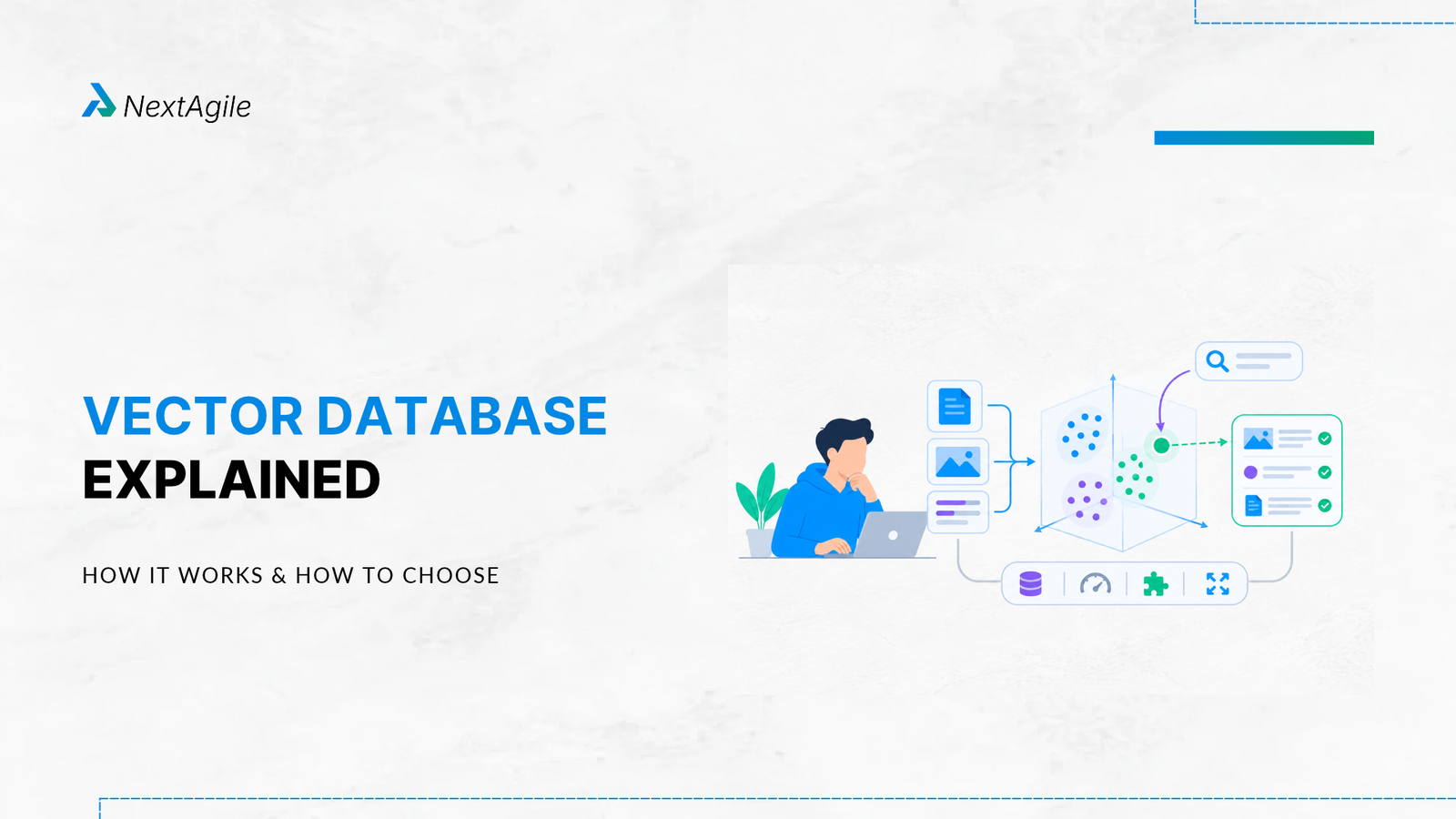
A vector database stores and retrieves numerical representations of data called embeddings. These embeddings allow applications to find information based on semantic similarity rather than relying only on exact keyword matches. Vector databases are commonly used in retrieval-augmented generation, semantic search, recommendation systems and AI-powered knowledge assistants.
They work by storing embeddings, organising them with search indexes and retrieving the nearest matches when a query arrives. The right solution depends on data volume, search latency, filtering requirements, infrastructure preferences, security needs and operating costs. Options such as pgvector, Pinecone, Milvus, Qdrant, Weaviate and Chroma serve different workloads.
Key Highlights of Vector Databases A vector database stores embeddings and retrieves data based on similarity, helping AI applications find relevant information even when the wording differs. Embedding models convert text, images and other data into numerical vectors. The database indexes and searches those vectors. Flat search provides exact results, while HNSW and IVF use approximate nearest-neighbour techniques to improve search efficiency. RAG applications use vector databases to retrieve relevant document chunks before passing context to a large language model. pgvector is worth evaluating when an organisation already uses PostgreSQL. Pinecone is an option when a managed vector database is preferred. Database selection should account for retrieval quality, latency, filtering, scalability, security and total operating cost. A proof of concept using real enterprise data is more useful than choosing a platform based only on benchmark claims. Introduction An AI application is only as useful as the information it can retrieve. A language model may generate fluent responses, but it cannot reliably answer questions about internal policies, customer records or product documentation unless the relevant information is made available to it.
Traditional keyword search often struggles when the user’s wording differs from the language used in the source material. A person searching for a refund policy, for example, may miss a document titled customer reimbursement procedure if the search relies too heavily on exact terms.
A vector database helps address this problem by organising embeddings for similarity search. It allows an application to retrieve information based on conceptual relevance, making it an important part of many modern AI systems. Understanding how it works is the first step towards choosing the right technology for an enterprise implementation.
What Is a Vector Database? A vector database is a system designed to store, index and retrieve vector embeddings. An embedding is a numerical representation of information generated by a machine learning model. It captures patterns and relationships in the input data, allowing similar items to be found through mathematical comparison.
Unlike a traditional database query that looks for an exact value or matching condition, vector search identifies records whose embeddings are close to the query embedding. This makes it useful when users express the same intent in different ways.
Consider an employee searching for instructions on resetting a forgotten password. The source document might use the phrase account credential recovery. A keyword search may not recognise the connection, while a semantic search system can retrieve the document if the embedding model represents the two phrases as related concepts.
Embeddings: How Meaning Becomes Numbers An embedding model converts information into a list of numbers. Each number represents one dimension in a high-dimensional vector space. The complete list acts as a mathematical representation of the input.
Text is a common use case, but embeddings can also represent images, audio and other forms of data. The model determines how information is encoded. The vector database does not independently understand the meaning of a document. It stores and searches the numerical representations produced by the embedding model.
This distinction matters when designing an AI solution. A poor embedding model can produce weak representations, and a well-configured database cannot fully compensate for them. Retrieval quality depends on the model, the source data, the way content is prepared and the search configuration working together.
Vector Database vs Relational Database: Comparison Relational databases organise information into tables, rows and columns. They are designed for structured records, transactions, joins and queries that use defined conditions. A vector database is designed to search numerical embeddings by similarity.
The two serve different purposes, but they do not have to be separate in every architecture. PostgreSQL with pgvector, for example, can store relational records and vector embeddings within the same database environment.
Comparison factor Relational database Vector database Primary purpose Store and query structured records Store and retrieve embeddings Search approach Exact matches, conditions and joins Similarity and nearest-neighbour search Data representation Tables, rows and columns Vectors with associated metadata Typical query Find customers in a region Find documents similar to a question Common applications Transactions, reporting and business systems Semantic search, RAG and recommendations
For many enterprise applications, the practical decision is not whether to replace relational databases with vector databases. It is whether vector search should be added to the existing data architecture or handled by a dedicated service.
How Does a Vector Database Work? A vector database workflow usually involves three stages: converting data into embeddings, storing and indexing those embeddings, and retrieving similar records when a query is submitted.
The embedding model handles the transformation. The database manages storage and retrieval. The application connects these components and decides what to do with the returned results.
A Practical Example: What Happens During a Vector Search? Imagine a company has thousands of internal documents covering employee policies, product information and customer support procedures. An employee asks, How can I request reimbursement for a business trip?
The application converts the question into an embedding using the selected model. The vector database compares this query embedding with the stored document embeddings and retrieves the closest matches. It can also apply filters to restrict the search to relevant departments, document types or access permissions.
The application then receives the matching document sections. In a RAG system, these sections become context for the language model, which uses them to prepare an answer. The database has helped locate relevant information, but the quality of the final response also depends on the retrieved content and the language model.
Cosine Similarity and Euclidean Distance A vector database needs a distance or similarity measure to compare embeddings. The selected metric influences how the system ranks results, so it should match the embedding model and the intended search behaviour.
Cosine similarity compares the direction of two vectors. It is commonly used when the orientation of the vectors matters more than their magnitude. Euclidean distance measures the straight-line distance between two points in vector space. Inner product is another common metric and can be useful depending on how the embedding model is trained.
There is no universally correct metric for every application. Follow the embedding model’s guidance, then test retrieval quality with representative queries. Using a different metric without validating it can change which documents appear near the top of the results.
Vector Index Types: Flat, HNSW and IVF Searching every stored vector can become expensive as a dataset grows. Vector databases use indexes to reduce the work required to find similar records. The choice affects search speed, recall, memory consumption and index maintenance.
Flat search compares the query against the full set of vectors. It is useful for smaller datasets and evaluation because it provides exact nearest-neighbour results. HNSW and IVF use approximate nearest-neighbour search, which can reduce query work but may not return every exact nearest match.
Index type How it works Main advantage Main trade-off Flat Compares against all stored vectors Exact results and a useful baseline Query cost grows with dataset size HNSW Uses a layered graph to navigate nearby vectors Strong speed and recall trade-off Higher memory use and slower index construction IVF Divides vectors into clusters and searches selected groups Can reduce search work and memory requirements Requires configuration and may miss relevant results
HNSW is often a good starting point when low-latency retrieval and strong recall are priorities. IVF can suit workloads where memory use and search effort need careful control. Flat search remains valuable when datasets are small or exact retrieval is important.
HNSW vs IVF: Which Should You Choose? The choice between HNSW and IVF is a trade-off between retrieval speed, memory consumption, index construction and recall. HNSW builds a graph that helps the search process navigate towards nearby vectors. IVF groups vectors into clusters and searches a selected number of those groups.
For a customer support application that needs responsive retrieval, HNSW may be a sensible starting point. For a large collection where memory constraints are significant, IVF may be worth testing. Neither option should be selected solely because it is popular or performs well in a vendor benchmark.
The actual result depends on vector dimensions, data distribution, query patterns, filters and index parameters. Benchmark both methods against the same dataset and query set before making a production decision.
How Do Vector Databases Power RAG and Semantic Search? Retrieval-augmented generation, or RAG, connects a language model to an external knowledge source. Instead of relying only on information learned during training, the application retrieves relevant content and supplies it as context when generating a response.
A vector database often provides the retrieval layer for this workflow. It helps identify document sections that are semantically related to a user’s question. The language model then uses the retrieved material to produce an answer grounded in the available information.
Where Retrieval Fits in a RAG Pipeline A typical RAG pipeline begins when an organisation collects source material such as PDFs, knowledge articles, product manuals and internal documents. The content is cleaned, divided into smaller chunks and passed through an embedding model. The resulting vectors, along with the source text and metadata, are stored for retrieval.
When a user submits a question, the application generates a query embedding and searches the vector database. It retrieves relevant chunks, applies any necessary access and relevance checks, and sends the selected context to the language model.
The model uses that context to generate a response. The application can also return source references so users can inspect the material behind the answer. This is particularly useful for enterprise knowledge assistants, where users need more than a plausible response.
Chunking, Metadata Filters and Hybrid Search Chunking determines how source documents are divided before embedding. If chunks are too large, they may contain several unrelated topics. If they are too small, important context can be lost. A useful chunking strategy considers document structure, headings, paragraph boundaries and the type of questions users are likely to ask.
Metadata adds information such as department, document owner, publication date, source system and access classification. Filters can narrow retrieval to the records that meet the application’s conditions. These filters must be designed carefully, especially when users have different permissions or when a system serves multiple customers.
Hybrid search combines semantic retrieval with keyword search. Vector search is useful when wording varies, while keyword search can be important for exact product codes, policy numbers, names and technical identifiers. Combining both approaches can improve retrieval coverage. Some systems also use reranking to reorder the initial results before sending them to the language model.
What Happens When Vector Search Gets It Wrong? A vector database can return results quickly and still retrieve the wrong information. A document may be semantically related to a question without containing the answer the user needs. If the application treats similarity as proof of correctness, irrelevant context can reach the language model.
This can lead to inaccurate answers, missing policy details or recommendations based on outdated material. The problem may originate in the embedding model, document chunking, metadata, index configuration or query design. It is rarely solved by changing the database alone.
Enterprise teams should evaluate retrieval quality using real questions and known relevant documents. They should also check whether the system retrieves current content, respects access restrictions and provides enough source context for users to verify an answer.
What Are the Types of Vector Databases? Vector database options differ in deployment model, operational responsibility, integration and search capabilities. Some extend an existing database, while others are purpose-built platforms that can be self-hosted or managed as a service.
The right category depends on the architecture an organisation wants to operate. A team with an established PostgreSQL environment may prefer to begin with an extension. Another team may prioritise a dedicated service that reduces infrastructure management.
pgvector and Database Extensions pgvector adds vector storage and similarity search capabilities to PostgreSQL. It supports exact nearest-neighbour search by default and provides approximate indexing options such as HNSW and IVFFlat.
Its main attraction is architectural simplicity for teams already using PostgreSQL. Application records, metadata and embeddings can be managed in the same database environment, reducing the need to introduce another system for an initial RAG application.
However, adding vector search does not remove the need for capacity planning, index tuning and performance testing. Large datasets, demanding query volumes and complex filtering may require careful database configuration. Teams should test their expected workload rather than assume an existing PostgreSQL deployment will scale without changes.
Open Source Vector Databases: Milvus, Qdrant, Weaviate and Chroma Open-source vector databases give teams more control over deployment, configuration and infrastructure. They can be useful when organisations need self-hosting, want to customise their search architecture or prefer to avoid depending entirely on a managed provider.
Platform What to evaluate Potential fit Milvus Distributed architecture, indexing and scaling Large-scale vector workloads Qdrant Payload filtering, hybrid retrieval and deployment options Applications with detailed filtering requirements Weaviate Vector search, keyword search and integrated retrieval features Semantic and hybrid search applications Chroma Developer workflow and ease of experimentation Prototypes and smaller AI applications
These products are not interchangeable in every situation. Their deployment models, operational requirements and feature sets differ. Teams should review current documentation, test supported integrations and estimate the work required to operate the platform.
Managed Services Such as Pinecone Pinecone is a managed vector database designed for applications that need vector storage and retrieval without operating the underlying database infrastructure themselves. Its managed approach can reduce the operational work involved in provisioning, maintaining and scaling a dedicated vector service.
This can be attractive for teams building RAG applications that need to move from experimentation into production. Metadata filtering and managed infrastructure are among the capabilities worth evaluating against the application’s requirements.
A managed service does not remove the need for architecture decisions. Teams still need to plan data ingestion, embedding generation, access controls, monitoring, backup requirements and cost management. They should also understand data residency, contractual requirements and how the service fits into the wider enterprise environment.
Pgvector vs Pinecone: Which Is Better for Enterprise RAG? Pgvector and Pinecone address different architectural preferences. pgvector extends a database many organisations already operate. Pinecone provides a dedicated managed vector database experience.
Evaluation factor Pgvector Pinecone Architecture PostgreSQL extension Dedicated managed vector database Infrastructure Operated as part of PostgreSQL environment Managed service Existing relational data Direct integration with PostgreSQL records Usually requires integration with other data stores Operational responsibility Database capacity, tuning and maintenance remain important Provider manages much of the underlying infrastructure Control Greater control over the PostgreSQL environment Less infrastructure management Starting point Existing PostgreSQL applications Applications prioritising managed vector infrastructure
Choose pgvector when the application already relies on PostgreSQL, the expected workload fits the database architecture and the team is comfortable operating it. Consider Pinecone when a dedicated managed service better matches the team’s infrastructure strategy and operational capacity.
The decision should also account for compliance, deployment region, data movement, latency and cost at expected scale. A small proof of concept can establish whether the convenience of a managed service justifies its cost or whether keeping vector search within PostgreSQL is the better fit.
How to Choose a Vector Database The best vector database is the one that meets the application’s retrieval, operational and governance requirements without introducing unnecessary complexity. A platform that performs well in a generic benchmark may not perform as well on an organisation’s own documents and queries.
Start with the business workflow. Identify what users need to find, how quickly they need it, how frequently data changes and which records they are allowed to access. These answers will shape the technical requirements more effectively than choosing a product first.
Start From Your Existing Technology Stack Review the databases, cloud services, application frameworks and monitoring tools already in use. Existing infrastructure can influence integration effort, security design and the amount of operational work required.
For a PostgreSQL-based application, pgvector may be a practical first option. Teams building a dedicated retrieval service may evaluate Pinecone, Milvus or Qdrant. If the organisation already uses Elasticsearch for search, its vector and hybrid search capabilities may also deserve consideration.
Evaluate Scale, Filtering and Latency Estimate the number of vectors the system will store, the number of queries it will handle and the rate at which records will change. Consider vector dimensions, metadata size, concurrent users and expected growth. These factors influence storage, memory, indexing and infrastructure requirements.
Filtering deserves particular attention. A system may need to retrieve information only from a specific department, customer account, geography or document classification. Test these conditions at realistic selectivity levels. Also measure query latency under expected concurrency rather than relying on a single request made against a small dataset.
Use a Practical Selection Framework The following recommendations provide a starting point for shortlisting. They are not universal rankings, and each option should be validated against the intended workload.
Your requirement Starting point to evaluate Existing PostgreSQL application pgvector Managed vector infrastructure Pinecone Self-hosted distributed vector search Milvus Detailed metadata filtering Qdrant Semantic and hybrid search capabilities Weaviate Early-stage RAG experimentation Chroma Existing search infrastructure with vector needs Elasticsearch
A shortlist should contain only a few realistic candidates. Comparing every available product can consume time without improving the decision. Focus on the platforms that align with the team’s infrastructure, technical skills and governance requirements.
Benchmark Before You Commit A proof of concept should use representative enterprise data, not only sample datasets supplied by a vendor. Prepare a set of real user questions and identify which documents or passages should appear in the results. Run the same tests across shortlisted platforms.
Measure Recall@K to understand whether relevant results appear within the top K results. Precision@K indicates how many of those results are relevant. Mean Reciprocal Rank can help assess how highly the first relevant result appears. Also record p95 latency, index build time, memory use, ingestion throughput and estimated operating cost.
Test filtered queries, updates, deletes and concurrent requests. A system that performs well on an unfiltered search may behave differently when every request includes department or tenant restrictions. The final decision should reflect retrieval quality and operational performance together.
Vector Database Security and Enterprise Governance Vector databases can contain embeddings derived from confidential source material. Even when the original documents are stored elsewhere, the surrounding application must treat vector records and metadata as business-sensitive data.
Security should be designed into the retrieval workflow. Apply authentication, role-based permissions, encryption and appropriate network controls. Where applications serve multiple customers or departments, enforce tenant and document-level restrictions before returning search results to the user.
Metadata filters can help narrow search results, but they should not be treated as the only security boundary unless the platform and implementation explicitly guarantee the required enforcement. Test for attempts to retrieve another user’s records, access restricted documents or bypass application-level filters. Logging, retention policies and deletion workflows should cover embeddings as well as the source documents they represent.
Vector Database Mistakes to Avoid A common mistake is choosing a platform before defining the retrieval problem. Teams may select a popular database and only later discover that their filtering, latency or deployment requirements are difficult to support. Begin with the workflow and evaluate technology against it.
Another mistake is assuming that more vectors automatically produce better answers. Poor document extraction, unsuitable chunk sizes, inconsistent embeddings and outdated source material can all reduce retrieval quality. A database cannot repair weak source preparation.
Teams should also avoid ignoring hybrid search, access controls and ongoing maintenance. Exact identifiers may need keyword retrieval, sensitive records need permission checks, and updated documents may require re-embedding. Treat the vector database as one component of a complete retrieval system, not as a standalone solution to every AI search problem.
Conclusion Vector databases make semantic retrieval possible by storing embeddings and finding records that are mathematically similar to a query. They are an important building block for RAG, enterprise knowledge assistants and other AI applications that need to retrieve information based on meaning.
Choosing the right platform requires more than comparing product features. Teams need to consider their existing technology stack, data volume, retrieval quality, filtering requirements, security expectations and operational capacity. pgvector may be a sensible fit for an established PostgreSQL environment, while a managed or purpose-built platform may suit a different architecture.
The most reliable way to choose is to test real business questions against realistic data, access rules and query volumes. Measure whether the right information appears near the top, how quickly it is retrieved and what it costs to operate as the system grows.
If your organisation is planning a RAG solution or enterprise AI search capability, NextAgile can help assess the use case, shape the solution architecture and identify the right implementation approach. Connect with us at consult@nextagile.ai to explore how to build an AI retrieval system that is useful, secure and ready for enterprise needs.
Frequently Asked Questions 1. How many vectors can pgvector handle before performance drops? There is no fixed vector count at which pgvector performance drops. Results depend on vector dimensions, hardware, memory, index type, query patterns, filtering and concurrency. Exact search can become expensive as datasets grow, while HNSW and IVFFlat can improve retrieval efficiency with trade-offs in recall and resource use. Benchmark with the expected production workload.
2. Can the original documents be stored inside a vector database? Some vector databases can store text or other payload data alongside embeddings. However, organisations do not always need to keep complete source documents in the vector database. A common approach is to store document chunks, metadata and source references, while keeping original files in a document repository or object storage system.
3. How often should embeddings be refreshed? Embeddings should be refreshed when source content changes in a way that affects retrieval. A revised policy, updated product manual or deleted knowledge article may require the associated chunks and vectors to be updated or removed. The refresh strategy should account for document versioning, embedding model changes and the importance of keeping search results current.
4. What does a vector database cost to run at enterprise scale? The cost depends on the number and dimensions of vectors, storage, memory, compute, query volume, indexing method, replication and operational requirements. Managed services may reduce infrastructure management but introduce usage-based charges. Self-hosted systems offer more control but require engineering and maintenance effort. Compare total cost of ownership using realistic workload estimates.
5. How do you secure sensitive documents in a vector database? Use authentication, encryption, role-based access controls and carefully designed metadata filters. Enforce document-level and tenant-level permissions in the retrieval path, and test that restricted records cannot appear in search results. Review audit logging, retention, deletion, backup and data residency requirements as part of the architecture.
6. Do I still need a vector database if I already use Elasticsearch? Not necessarily. Elasticsearch supports vector search and can combine semantic retrieval with full-text search and structured filtering. If your existing deployment meets the application’s requirements for retrieval quality, latency, scale and governance, a separate vector database may not be needed. Compare both options using the same queries and workload before introducing another platform.
 Skip to content